Showing posts with label Going Green. Show all posts

Machine Revival - Part I

Tuesday, February 23, 2010

1 comments
Yesterday, I went out with my wife and bought a computer table. I had been planning to revive an old Dell Dimension XPS T500 I had laying around and repurposing it to be an all-around computer for the kids. My son has simple needs. He has great fun playing the games included in Child's Play and Gcompris. Well the wife and I ended up buying a cheap computer table from Saver's Mall in Balibago.

After I got home, I immediately started working on the machine. I installed an 80GB Maxtor IDE drive I bought used a few months back. I also removed a non-working network card, and stuck a more recent PCI LAN Card i had lying around in one of my desk drawers. I also installed a PCI USB card.  The  Dimension XPS T500 had slow USB 1.1 and the card would at least bring it up to USB 2.0 speeds. I then closed up the side panel and expected the thing to boot. But it didn't! Beeps ensued and the Diagnostic LED's on the machine's back lit up with a pattern. So I went to find an online manual, praying one was still online at all. This machine has a date stamp of November 1999 after all. 

As luck would have it I found one (if your interested, it's here: http://support.dell.com/support/edocs/systems/dkub/) . Following the clues as to what was going wrong, I reseated the video card and tried booting it. It booted up but the color on the display was yellowish. I reseated it again and powered it up once more. It beeped with a memory error. I unplugged the DIMMs, moved 'em to other slots and gave it a try. It POSTed! But then it was showing a PCI error. I forgot I left a PCI dial-up modem installed and decided to chuck it. The thing booted fine afterwards.

After I got it working I tried Fedora 12 Games, but it was just too slow to be usable. I was just hoping, but I knew the machine was too slow to use Fedora 12 Games. Anyway, I went off and tried another live distro, Linux Mint 8. This time it booted a lot more faster than Fedora, but it was still quite a good 8-10 minutes before I saw the desktop. I could just imagine my son jumping in anticipation only to get tired before the machine had fully booted. He's a little hyper over waiting time and jumps excitedly at times. While that was happening, I was waiting for my DreamLinux 3.5 download to finish. I've used DreamLinux 3.1 before on this same machine and it worked okay. And so I went with the reliable option and went ahead and installed  DreamLinux 3.5. After rebooting though, the machine wouldn't boot into it. It looked like the drive was having problems. So I tried disconnecting it and checking if the cables and connectors were okay, then booted it up again to try and install DreamLinux 3.5 again. Then I noticed the drive size was only 74.++ GB when it should be a little over 76 GB. Something wasn't right about the capacity. While thinking about it I decided to think it over. 

So today, after I got home and after thinking about it the whole day while at work, I gave the drive a go with DBAN. It's still running, actually. I don't expect it to finish any time soon. Maybe tomorrow morning. So I'll post an update if i get this to work. It would be a waste if I didn't get to play Tux Racer on this old machine now, would it?


GameFly - Black Anim

Pinoy Artists Sing for Awareness on Climate Change

Wednesday, December 2, 2009

0 comments
Just wanted to share this video.I know that I don't have that many readers but anyone who reads this and watches the video will be one more aware individual. Let's talk about this, act on it, spread the word:


The World Needs You!

Saturday, October 24, 2009

1 comments
Helping curb climate change can be a daunting task. The contribution of one person may seem an insignificant, but not if we come together to commit to making things change.


To know more, follow 350.0rg in Twitter or become a fan in Facebook

Climate Change -Ways Geeks Can Help

Friday, October 16, 2009

0 comments
  • Reuse old computers, don't throw them away. Linux can bring that old machine back to life.
  • Use electronic devices for the longest possible time. Buying the latest and greatest cellphone every year isn't helping the environment Disposed cellphones will just add to landfills near you and pollute the ground with toxins. Make them last.
  • Pick your electronics wisely, use gadgets, gear and computer parts that have low power consumption. Low power consumption means less heat. And less heat means less cooling. You save twice on electricity consumed if it's low-power and takes less energy to cool.

  • Turn off that computer! It's no longer practical to keep a computer running 24-7 just to keep the components hot and save them from damage.
  • Go CFL! Compact Flourescent Lighting. One of the biggest energy savings we've made at home was because we've switched all our lights to CFL Using a 5-9 watt CFL is just as bright as a 20-40 watt ordinary bulb. It may not look like much but multiply that 10 -30 watt different by the number of lights in you house and the number of hours you usually have them on. Do the math, you can save a bunch.

These are just a few ideas, I hope I get you thinking about what you can do on your own to do your part to conserve resources. And it's late, need to turn this off now.

AMD's 'Bobcat' Platform

Wednesday, July 2, 2008

0 comments
With Intel positioning its Atom and Via competing with it with the Nano, the public is wondering what AMD is planning for serving the UMPC and low-power segments. I only recently learned of 'Bobcat', AMD's platform designed from the ground up for ultra-mobile PCs, devices and consumer electronics. Basically, its a re-designed x86 processor optimized for low-power devices with a TDP of 1 to 10 watts. It's being developed in parallel with Bulldozer, a seperate processor platform aimed at low-power desktops. In contrast, Bulldozer will have a TDP of 10 to 100 watts and a CPU-integrated GPU core that's squeezed right into the processor piece. Both are projected to launch in 2009, but by the way things are going, AMD should launch them earlier if they want to catch up.

Register Hardware ran a story on this last year. A more exhaustive article on Anandtech discusses the platform as a whole, with information interspersed with details from interviews they conducted. Another article from Tech Report discussed the technical merits of the platform when it was first revealed.

Via And NVidia Launch Mini-ITX 2.0

Sunday, June 8, 2008

0 comments
As was previously announced, Via and Nvidia officially came out and formally presented their partnership to produce the most affordable Vista-capaable platform. PC Perspective ran a story with in-depth information on the expected performance of the upcoming platform. They even posted a picture of a sample board, with an 8600GT strapped on to the PCI Express slot. Digitimes also ran a story on the announcement, highlighting the two's support of Mini-ITX 2.0. Intel's entry to the Mini-ITX niche has been observed as "limiting", having a very basic graphics subsystem and no provisions for upgrades. Seeting up an official spec for Mini-ITX 2.0 is seen by analysts as Via's play to keep its dominance over it's Mini-ITX turf while attracting more of the mainstream market.

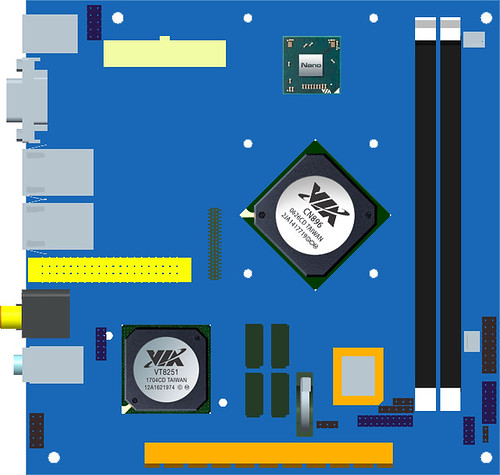
Mini-ITX 2.0 seeks to up the ante by allowing consumers more mainstream expansion choices while maintaining the 17 x 17 cm form factor. In more detail, 2.0 will require the following feature set on boards:
When compared to the current Mini-ITX offerings of Intel, these specifications are a boon for anyone seeking a low-cost solution for multimedia and gaming on the Vista platform. Clearly this strategy can open up a niche for Via in the mainstream market, opposite Intel's pushing the Atom platform (and their other Mini-ITX offerings) in the low-power niche that Via traditionally dominated. Now, only the market will say who's strategy will eventually pay off. Who gains more is will eventually be dictated by the consumers. I'm hedging my bets on Via gaining a bit on the mainstream market.

Intel Atom on the Desktop

Friday, May 23, 2008

0 comments

Word spread of the desktop implementation of the Atom platform when Engadget broke the news about the D945GCLF. It was followed by a post on Ars Technica and a blog post about the board being available in the UK. This will be the first desktop motherboard to support the Intel Atom. As I had posted a few months back, I knew that an Atom-based solution for desktops was very possible. Intel positioned itself well in the ultra-low power PC segment with it's introduction of the Intel D201GLY late last year and the Intel 201GLY2A earlier this year. It was only natural that it would tout its initial success with another low-power solution based off its newer technology.

The D945GCLF is already available for sale from TranquilPC for US$82. Complete systems based on the board can also be purchased from Tranquil PC and range from the US$358 T7 to the US$558 T2e.

Below are 3 videos that'll get you acquainted with the D945GCLF :


Update: The boards are starting to show up for sale online. Saw a listing on eBay for one. This one is being sold for $79.95

Via PX5000EG and The Naked Pico

Tuesday, May 20, 2008

0 comments
While we're talking about Via, watch this video feature about their latest Pico-ITX board. The PX5000EG uses an ultra-low voltage VIA Eden processor running off 1 watt of power. There's an announcement towards the end of the video about how to enter a contest to win your own Via Artigo Builder Kit.

Isaiah, Where Art Thou?

0 comments


A lot of news recently about Via's other products(most recently, its latest Pico-ITX board), but nary one about Isaiah-based products. Most of articles about the Isaiah have to do with conjecture at this point. No product announcements of any sort. That's opposed to Intel's Atom, with a few final products already announced and waiting to be launched. One of them, MSI's Wind was already launched in some countries, AFAIK. No announcements have been made of any Isaiah-powered product that will launch in the next few weeks.

When will they launch an updated Zonbu Mini Desktop with Isaiah in it? Any products that will compete with say the likes of the MSI Wind? Or at least a Via Artigo powered by the Isaiah chip? I'm waiting, still.

MSI Titan 700 SFF Solution

Monday, May 12, 2008

0 comments


Not to be outdone in the small form factor (SFF) side of things, MSI has released its own entry into the low-power "green machine" market. Compared directly to the Zonbu Desktop Mini, the Titan 700 ups the ante by including a DVI output, a DVD Dual-RW drive, a 120GB 2.5" hard drive and 1GB of RAM. This is (in my opinion) as close to having a full desktop in a small form factor that still saves on power consumption. It's a bit pricey though, as to be expected. That may change as similar machines come to market. As it stands, this machine is definitely worth the money.

Incidentally, I found out about this product after reading a post on Net Traveller (you can read the article here). There also posts on the GameRoom Blog, Slash Gear and Engadget about it, mostly based on MSI's announcements.

Back to the Titan 700. If your into the nitty-gritty, the specs are listed in detail below:


MB Specification
PCB Size . Mini-ITX form factor, 170mmx170mm
CPU . VIA C7D (V4 Bus) NanoBGA2 , 2.0GHz
Chipset . North Bridge: VIA CN700
. South Bridge: VIA VT 8237R+
Memory

. DDR-2 400/533 SDRAM (1GB Max)
. 1 DIMMs DDRII memory slot

LAN . Realtek RTL-8110SC LAN 1Gb
Audio . AC97 CODEC by VIA VT1618, 5.1 channel audio output
IDE . Support Ultra DMA 66/100/133 mode
SATA . Support two SATAII 150MB/sec device
DVI . VIA , VT 1632AG
TV-Out . S-Video output by VIA VT1622AG
Barebone Specification
Front I/O . AC97 Mic-in x 1, Headphone-out x 1 , USB2.0 x 2
Rear I/O . PS2 x 2 (1 for Keyboard,1 for Mouse), Serial Port x 2, D-Sub15 VGA x 1, Mic-in x 1/ Line-in x 1 /Line-out x 1(5.1 channel), RJ45 LAN x1, USB2.0 x 2, TV Out x1, DVI x 1
Power Supply 60Watt Adapter, Active PFC
Driver Bay Support NB Slim ODD x1 and 2.5" HDD (Hidden )
Dimension 70mm(H) x 185mm(W) x 240mm(D) (with Bezel) ; Volume ,3.1 Liter
System Configuration
ODD . slim type, SATA Supermulti DVD Dual RW
HDD . 2.5", SATA HDD 120GB
DDR2 . 1GB DDR2, 533 MHz

$300-ish Budget PC

Sunday, April 20, 2008

0 comments
Hot on the heels of my post on building a relatively cheap dual-core system that can double as a multimedia machine, I've decided to post what I'm recommending to a friend looking to build a budget system. Considerations for this build were the common tasks this machine was going to be used for. He would use it to play DVD's, internet browsing and office work. His wife would use it for her Adobe Photoshop projects and printing.

I recommend this set-up because of the low-power draw from this AMD AM2 ATHLON 64 LE-1620. Another side benefit of choosing this particular processor is its ability to overclock, should the need arise that is. These processors actually overclock quite a bit, as proved by this post in XtremeSystems.org. The memory requirement for this is build is kept to a single 1GB DDR2 module from Geil because he'll be using Windows XP . Together with the software he will be using, a Gig is comfortable enough. Storage is relative conservative as well, owing to the fact that he won't be storing multimedia content. He'll be playing DVD's and storing family pictures. That's it. Before he uses up the space on that 160GB Seagate drive, prices for the 500 GB SATA drive would have dropped and an upgrade would be relatively cheap. The LG GSA-H55N will allow him to back-up his data and movie downloads. Playback on a living room DVD set-top unit is also a consideration so DVD±RW burner would be ideal.

These specs may seem sparse, but the main consideration is to keep the budget around the Php 10,000 mark. That's sub-$300 to you folks in the US. The following hits it right at the sweet-spot:

The prices are in Philippine pesos and quoted from Enigma Technologies, a local store in Angeles City, Pampanga. If you click on the links above, you'll see the prices for US online retailers. Couldn't find the EMAXX NF7050HD-PRO listed on any US online retailer. The ABIT AN-M2HD (Nvidia NF7050) board would be comparable, albeit pricier option. Also, Geil RAM isn't so popular in the US either. Kingston ValueRAM would be of a comparable quality and more widely available. Going by US prices, this build would cost around $340.00 and a few cups of coffee.

So there you go.

Via Isaiah, Intel Atom Benchmarked

Saturday, April 19, 2008

0 comments

Engadget linked to a translated German site showing that the Via Isaiah edged out Intel's Atom in benchmarks they performed. Now, these results may seem slanted towards making Isaiah look good, but bear in mind that these tests performed were limited to ALU and FPU benchmarks. One CPU is bound to get an edge over the other depending on how the internal instructions of the chips handle math and so forth. I guess every geek out there who has staked an interest in these low-power processors is waiting for a more conclusive set of benchmarking, but that'll come in time. These chips aren't as widely available as we'd like, after all. Most of the samples (for both) have been sent to manufacturers, OEM's and ODM's. As the market churns out UMPCs, mobile phones and sub-notebooks using these 2 processors, more extensive benchmarks can be performed. I eagerly await for that to come.

Here's a screenshot of the result from the benchmarking they performed:

Building an Energy-Efficient Dual-Core Box, Relatively Cheap

Thursday, April 17, 2008

0 comments
I've been remiss with my goal last year to post my recommended "monthly" build. So to tie it all up, I decided to make a wish list of sorts. This is how I would spec a compromise between an energy-efficient set-up and a comparably powerful machine. The considerations were an energy-efficient processor from AMD, a single hard-drive that had room for growth and a small enough footprint that would make it ideal for a regular-sized office desk.

The AMD Athlon BE line of processors have a TDP of 45 Watts, one of the lowest in today's bunch of mainstream processors. Adding a single large hard drive saves a few watts, compared to adding more hard drives later on. Using a SATA-300 drive will also make the set-up run faster. A small case is largely aesthetic, but it does make for a better office desk at home. Another consideration was a fairly recent motherboard (from a reputable manufacturer) that would make your set-up upgradeable for the foreseeable future. The board I chose also has onboard graphics (based on the latest AMD 780G chipset) that's powerful enough for casual gaming and hi-definition movie playback, so you save on having to buy a graphics card.

Now, on to my list:
That comes to a grand total of $507.05. The set-up is fairly powerful that you can live with it for at least the next 3 years. It will be capable enough that you can run virtualized environments and run different operating systems all at once. Cost was another consideration and I tried as much as possible to balance cost with fairly recent technology to make it as upgradeable as possible. So, tell me what you think?

NVIDIA-Via Join Forces to Fend Off Intel and AMD

Monday, April 14, 2008

0 comments
NVIDIA has released more details about the much-touted tie-up with Via in this article from CNET.com. The deal would pit a combo of NVIDIA's soon to be released IGP and Via's Isaiah with the existing discreet graphics products of AMD and Intel. This comes at a crucial time for NVIDIA. Analysts are starting to question the long-term viability of their products in the face of increasing consolidation on the part of AMD and Intel to include graphics into their individual product offerings.

To stress the cost benefits of this future platform, NVIDIA is drawing direct cost comparisons with Intel's existing IGP solutions for multimedia-enabled machines. They say their solution would perform better compared to a similarly-priced option from Intel. Here's a copy of the comparison they presented to analysts at a recent event:


This development is an interesting historical point in the evolution of the role IGP solutions will play in the ever-heightening green consciousness of consumers. It also emphasizes the need for cheaper but better hardware to deal with the demand of current household computing needs. To be more specific, today's computer must be able to play multimedia content and be cheap enough to be adopted in the home. NVIDIA and Via are in effect creating a product platform that will appeal to both green computing advocates and cost-conscious consumers. This post in Ubergizmo also opines that this increases NVIDIA's chances of fending off moves by Intel and AMD to consolidate graphics into their own platforms, thus ensuring they will still be relevant to the PC for the foreseeable future.

I think I'll put off upgrading until this is released. This is even better than I had hoped for. The low-power features of Via's Isaiah combined with NVIDIA chipset. Having both in a single board will surely perform well on the graphics end and still save on power consumption. This will turn out as the perfect solution for my needs. I'm thinking a Zonbu based off this platform would be even better.

D201GLY2A or Athlon LE-1620? Upgrade or Downgrade

Sunday, April 13, 2008

1 comments

I've been mulling over getting a modest upgrade for weeks now. Upgrade is a misnomer though, as I have been thinking about getting an Intel D201GLY2A. All this thinking about getting a low-power processor has got me wanting a processor that can cut my energy consumption to a lower rate. Certainly, at this point any other fairly modern processor would outperform my current Sempron 3000+ in terms of performance-per-watt. I have come across information online that may influence my decision to stick to the AMD platform. Undervolting seems to be a viable option for cutting power consumption. As far as I can tell, Powernow and Cool'n'Quiet aren't supported by my current processor, so undervolting my current rig might not be all that feasible.

The dilemma for me is picking a processor that will give me better performance-per-watt while keeping my PC relatively flexible. The Intel D201GLY2A saves on power, no doubt. But it does so at the cost of hobbling how flexible your system is when it comes to adding components. Memory is limited to 1 slot capable of taking only 1 Gig of RAM. There is only one PCI slot. No provisions for adding a video card, should I want to in the future. I'd still like to maintain a certain level of flexibility when building systems, so going for the D201GLY2A feels like a downgrade. I also doubt it would work with virtualization effectively. I've taken an interest on virtualization only recently and would like to experiment with it some more.

So right now, I am thinking of upgrading to an Athlon LE-1620. That processor gives me a lot of headroom, with a GHz performance jump from 1.6 to 2.4. Switching processors will also lower the TDP from 62 watts to 45 watts. Adding Cool'n'Quiet and the tickless kernel will increase the efficiency as well. The AMD Sempron LE-1150 is my second choice. It's TDP is also 45 watts, so I'm looking at the same kind of power savings coupled with a less dramatic jump in processing power. The downside of the AMD Sempron LE-1150 is that it does not support virtualization on-chip. I'd be stuck with VMWare Server. I'd been wanting to try KVM for a while now because it is much more efficient in handling system resources. Anyway, 20 watts is a lot when considering the long-term. Both AMD processors offer that benefit at least, while maintaining a comfortable level of felxibility. Overall, upgrading would be worth the extra money.

Care to share your view on the subject?

UMPC's Hit the Philippines

Friday, April 11, 2008

0 comments
On my way home I bought a copy of the latest PC Buyer's Guide. It's a month old, but as things go this magazine's always late to arrive on store shelves. Anyway, I was gladly surprised that local brands have been eagerly tailgaiting the success of the Asus Eee PC. They've come out with their own UMPCs.

I have been writing a lot about UMPCs lately because of my personal interest in low-power devices. I've always envied geeks in the US, specifically because new products frequently grace their shores earlier than Asian countries. The Asus Eee PC started a different trend, launching first in Taiwan, where Asus is considered as superstar computer company. And so it's success in the Philippines has opened the doors wide for other brands to get in on the UMPC bandwagon.

Two of these brands are Redfox and Astone. I've known Redfox for years. I started seeing motherboards under that brand as early as my freshman year in college. It was only after I built my first PC some 5 years ago that I realized that Redfox was actually a brand that went to ODMs and OEMs for the actual manufacture of their products. I've since used 2 Redfox motherboards and 1 Redfox ATX case to build machines. My current machine uses what's called the Biostar NF61S Micro in other countries. Astone is another brand that has successfully made a good break in the local PC and gadget market. I currently have an ATX case that's sold under their brand.

Now back to UMPCs. Redfox has 2 entries to the Philippine UMPC segment. The Wizbook 800 and the Wizbook. The specs are as follows:

WizBook 800
  • Processor: AMD Geode LX700 L1 & L2 cache 128kb, 400Mhz
  • Memory: 256 MB
  • Hard Drive: 20GB Nandflash
  • Display: 8" WXGA TFT Screen
  • Lan: RJ-45
  • Modem: 802.11b/g wireless PCMCIA slot
  • Battery: 2200mAh
  • Weight: Under 1.2 Kg
  • Other : SD/MMC/MS CARD reader, DC in 12V, 2xUSB slot, microphone input

WizBook
  • Processor: AMD Geode LX800 L1 & L2 cache 128kb, 500Mhz
  • Memory: 512 MB
  • Hard Drive: 60GB Nandflash
  • Display: 10.2" WXGA TFT Screen
  • Lan: RJ-45
  • Modem: 802.11b/g wireless PCMCIA slot
  • Battery: 2200mAh
  • Weight: Under 1.2 Kg
  • Other : SD/MMC/MS CARD reader, DC in 12V, 2xUSB slot, microphone input
Astone's entry is interestingly an ODM version of the Everex Cloudbook. They've chosen to call it the using a rather boring misnomer "Astone UMPC". Feature for feature, it's relatively the same as the Cloudbook except for one minor detail -- Astone's UMPC has a touchscreen. That feature was omitted from the Cloudbook even if that was a feature in the reference design that Via had from the ODM (more about the differences in a previous post).
  • Processor: VIA C7-M ULV 1.2Ghz (FSB400) on-board
  • Chipset: VX700
  • Graphics: integrated VX700
  • Audio: VT1708A, with 2 internal 1.5W built-in speaker
  • Memory: 1GB DDR 667
  • HDD: 30GB (1.8" HDD)
  • Monitor: 7" LCD Touch Screen with Handwriting capability, WVGA 800x400
  • LAN: 10 Base-T/100 Base TX LAN
  • Bluetooth: Yes, USB interface
  • Modem: none
  • Wireless LAN: Yes, IEEE 802.11b/g, USB 2.0 mini card
  • Battery: 4-cell 2200mAh
  • I/O: DVi-I, USB 2x, mic-in/Array Mic 1x, Headphone out/Line-out 1x, RJ45 1x
  • Webcam: Yes, built-in 0.3MP Camera
  • Card Reader: Yes, 4-in-1 (for SD, MMC, MS, MS Pro)
  • Dimension: 9.1" x 6.7" x 1.16" (230x171x29.4mm)
  • Weight: 0.97kg
The Wizbook 800 is priced at Php 17,000 on the street. The 10.2" Wizbook foes for about Php 3,000 more. Now the Astone UMPC is priced a bit more heftier at Php 24,000. All do not ship with an OS, which in the Philippines translates to something like, "humiram ka ng CD sa kaibigan mo". Now some may interpret that as illegal, unless what you're talking about is getting an Ubuntu CD. Go get Ubuntu if your planning on getting one of these babies. And do me a favor and hint me in on how they run on Linux! :-)

HP Mini-Note (HP 2133) Released

Wednesday, April 9, 2008

0 comments


PC World had posted a product review of the HP 2133. The rest of blogosphere was quiet though. I barely managed to find a press release. I've been watching out for the release of this product because it belongs to a new class of computing hardware. These devices (UMPC's and net-connected devices) optimize power consumption, portability and cost. I was surprised that there wasn't much press about the launch. Oh, well. It's the Engadget effect. They break news about upcoming products that by the time the thing actually launches the hype is almost over.

It's listed on Amazon.com now, by the way: Mini-Note PC C7-M 1.2GHz 120GB

Classmate PC Whitebook

Tuesday, April 8, 2008

0 comments
Last Friday, I posted on Twitter that I saw a Philippines whitebook version of the popular Intel Classmate PC. I had promised to post a picture online, but forgot to because of the accident we were involved in (I blogged briefly about it here and here).

Well, here it is. The Neo Explore X1:


It was rather fortunate though that I posted about it a few days later. I now know that the unit I saw was from the 2nd generation of the Classmate PC. I confirmed that when I checked the specs here. The specs are as follows:
  • Processor: Intel Celeron M ULV 353
  • Processor Speed: 900 Mhz clock speed, 400 Mhz FSB
  • Chipset: Intel GMS915 + ICH6-M
  • Memory: 512 MB DDR2
  • Display: 7" 800 x 480 LCD
  • Hard Disk Drive: 30 GB
  • Networking: 10/100 Mbps LAN
  • Wireless: 802.11 b/g WiFi
  • Card Reader: SD/MMC Card Reader
  • Battery: 6-cell battery, 3-4 hours
  • Weight: ~ 1.45 kg
Neo is selling the laptops for Php 16,800 with Windows XP Starter pre-installed. Though I doubt that would be as useful as something like Ubuntu or PCLinuxOS, Both would be better suited for the X1 as far as maximizing the available hardware.

You'll also notice (in the pic above) that the X1 is sitting right beside an Asus Eee PC. Rather tongue-in-cheek if you asked me. While they share the same roots, starting off as laptops for students who don't necessarily need that much processing power for classroom computing, the Asus Eee PC has been adopted by both geeks and ordinary people alike because of its low price and conservative styling. Even with it's diminutive dimensions, the Asus Eee still looks and feels like a traditional laptop (sans the full-sized keyboard, that is).The Classmate exudes a toy-ish feel. Kinda looks like a VTech toy laptop for toddlers.

For the general laptop-using internet-surfing public, the only edge Classmate PC has over the Asus Eee would be its 30 GB of storage. That's huge compared to the paltry 4GB of the Asus Eee PC. It makes it more flexible when it comes to saving your work or files. Both laptops have their own selling points. It'll come down to what's important to you.

Comments? Which would you consider buying? What everyday computing tasks would you use it for?

Via Sends Out Isaiah Samples

Wednesday, March 26, 2008

0 comments
I've written about my anticipation of Via's Isaiah and Intel's Atom processors in the past. The two have a huge potential when it comes to reducing power-consumption of everyday machines if the chips crossover to the desktop space. And I believe they will. In time, that is. But right now, I believe the focus is to get them to the UMPC market. So I was glad to read that Via is already sending production samples to manufacturers. That's a foot in the door. I'm eager for news of these gadgets coming to market soon.

Intel's Atom

Sunday, March 16, 2008

0 comments
A few weeks back, Intel let the cat out of the bag and officially announced the branding of their Diamondville and Silverthorne chips. You can read more info about the Intel Atom here. Intel's strategy for marketing this chip seems to be twofold. First is to supply the chip for a new segment of the tech market, the niche that Asus was able to maximize when it brought the Eee PC to market -- the niche between laptops and PDA/smartphones. A lot of buzz around blogosphere has the Atom competing with Via's Isaiah for a place in devices like the second version of the Everex Cloudbook, Asus Eee PC 900 and the HP 2133.

Now the second purpose (and I'm guessing this will come much later) would be to market it in Asian countries where cost is the number one consideration. Intel certainly explored that segment in Asian markets when it released the D201GLY board to Asia. This product would appeal to those seeking a cheaper computing platform to build devices from. It will also appeal to those who require low-powered devices. The Atom processors are touted to consume only half a watt. Another thing going for this platform is the fact that Intel has already announced that they are already developing the dual-core version of the Atom. So investing on the platform would make sense for those looking for a steady upgrade path. In contrast, Via's Isaiah is compatible with the current hardware of the C7 (codenamed: Esther), it's previous generation of low-wattage chips.

Looking at developments in the last few months, I am quite glad I'm still waiting it out before I upgrade. The next few months will bring more "green" computer hardware to market, all geared around the platforms of these low-voltage processors. Whether its Via or Intel, it will all come down to price and availability. That being said, Intel may have an upper hand in countries like the Philippines where they already have an established distribution network.

Now, all I need to do is wait for the sweet spot.
Free Ground Shipping on Orders $125 or more at EpsonStore
Stop PC Crashes with WinZip System Utilities

Copyright © 2011 Tech Throes | Splashy Free Blogger Templates with Background Images, Trucks